
ComicScreen - PDF, ComicReader
InstSoftComics
4.71.63K Reviews
- Version
- 2309
- Installs
- 5.00M
- Age Rating
- Everyone
Screenshots
Our Review of ComicScreen - PDF, ComicReader
 Analysis by Appyee
If you’re choosing a comic reader with readability and access in mind, the main question is whether it lets you make the page comfortable without getting in the way. I like that ComicScreen focuses on opening files already on a device rather than making reading depend on a built-in comic shop. That makes it useful for people with an existing collection, though it also means the experience starts with finding and organizing your own files.
Readability and navigation in a personal collection
For a reader who moves between PDFs and comic archives, having one place to browse different kinds of files can simplify a collection. The app’s core purpose is straightforward: open and view comics, images, and pictures in compressed CBR or PDF files. I would think of it as a reader for material you already have, not as a service that supplies stories or manages a subscription library.
That distinction matters when deciding how to prepare a collection. A useful habit is to keep series or reading order clear in the filenames and folders before importing a large batch. Even a capable viewer cannot make an ambiguously named folder easy to navigate. A little organization up front can save repeated searching later, especially if you return to a long series after a break.
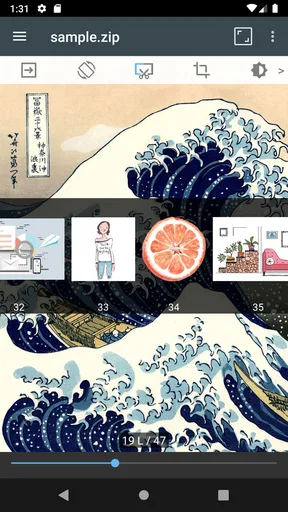
Comic pages often combine small lettering with detailed artwork, so zooming is not merely a convenience. It can help when a page is dense, but frequent zooming and panning can also interrupt the flow of a story. I would use a larger screen when available for full-page reading, then zoom on a phone only when the lettering needs it. This is a practical trade-off: a phone is easier to carry, while a tablet is generally a more natural fit for pages designed to be seen as a whole.
Motor and sensory considerations
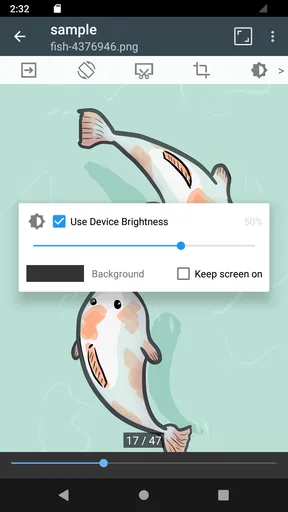
Reading comfort depends on more than file support. Brightness, screen orientation, and page presentation all affect how long I can read without fatigue. If you are sensitive to glare, try adjusting the device’s brightness before changing the way you view every page. A darker room does not always call for the dimmest possible screen; the goal is a comfortable contrast between the page and its surroundings.
Small touch targets and repeated gestures can be tiring for some readers. Pinch-to-zoom is familiar, but it requires controlled movement and can shift the page unexpectedly if your grip changes. I would test how a comic behaves in the preferred orientation and page layout before settling into a long session. If turning pages or manipulating the screen is uncomfortable, a hands-free reading setup or a larger device may be a better solution than trying to compensate with constant gestures.
Sensory preferences vary, too. Some people want a simple, quiet reading view; others need frequent adjustments to brightness or page scale. The useful point here is not that one setting suits everyone, but that a reader should check each title and device combination rather than assume the same layout will feel good across a whole library. A scanned page, a single-page PDF, and a two-page spread can ask different things of your eyes.
Situational access: at home, commuting, and offline
For a realistic everyday example, imagine downloading a comic before leaving home, then reading a few pages during a commute where mobile coverage is unreliable. A file-based reader can be a practical choice in that situation, provided the comic is already stored on the device and opens as expected. I would check a couple of pages before setting out, rather than discovering mid-journey that a file is incomplete or difficult to read on a small screen.
The same approach works for travel or waiting rooms: choose a short reading session, open the intended volume in advance, and make sure the page layout is comfortable for the device you will carry. Keeping a large collection locally may require more storage than keeping only the next volume you plan to read. That is a small but useful trade-off: a compact offline selection is easier to manage, while a fully local library is more convenient when you want to browse without relying on a connection.
ComicScreen is an app in the comics category from InstSoft. It is free to install, has an Everyone content rating, and offers in-app purchases priced at $1.99 to $2.99 per item. Its current version is 2293, and it requires Android 8.0 or later. The app has a 4.7 average from around 88,000 ratings and over 1 million installs. Those figures suggest it has found a sizable audience, but they cannot tell you whether its controls suit your hands, eyesight, or reading habits. I would make that decision by trying it with the kinds of files you actually read.
How ComicScreen fits different readers
If you're like me and have a soft spot for comics, then you know the struggle of finding the perfect app to read them on your device. Enter ComicScreen - PDF, ComicReader. This nifty app claims to cater to all your comic book needs, from reading PDFs to various comic formats like CBR and CBZ. So, I decided to dive deep and see what it's all about.
Getting Started with ComicScreen
First things first, downloading and setting up ComicScreen - PDF, ComicReader is a breeze. Available on both Android and iOS platforms, you can easily find it in your app store. Once installed, the app greets you with a clean, user-friendly interface that made me feel right at home. It doesn’t bombard you with ads, which is a big win in my book.
Interface and Navigation
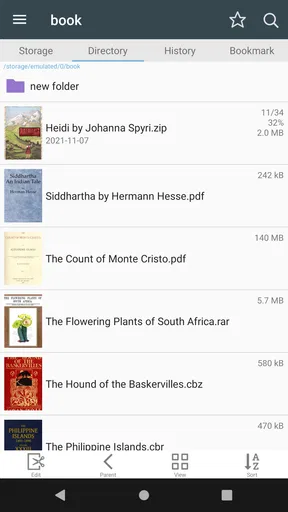
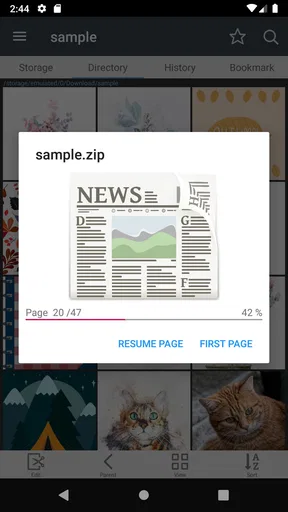
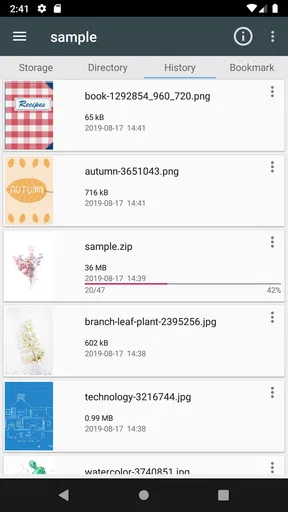
The interface is simple yet effective. The app is designed with ease of use in mind, allowing you to quickly access your library. You can import comics directly from your device or cloud storage, with support for Google Drive, Dropbox, and more. The navigation is smooth, and the transition between screens is seamless. I particularly love the “Recent” tab, which lets me jump back into my last read instantly.
Reading Experience
When it comes to actually reading, ComicScreen shines. The app supports pinch-to-zoom, which is essential for those detailed panels. You can toggle between single and double-page views, and there’s even a night mode for those late-night reading sessions. The app handles different file formats like a champ, and I didn’t encounter any issues with loading times or resolution.
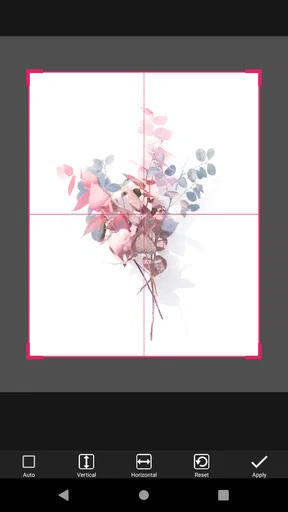
One thing that stood out to me is the ability to customize your reading experience. You can adjust brightness, orientation, and even the page transition effects. It’s these little touches that make the app feel polished and tailored to comic enthusiasts.
Features Worth Noting
Aside from being a robust reader, ComicScreen offers some nifty features:
- Bookmarking: Easily mark your favorite pages to revisit later.
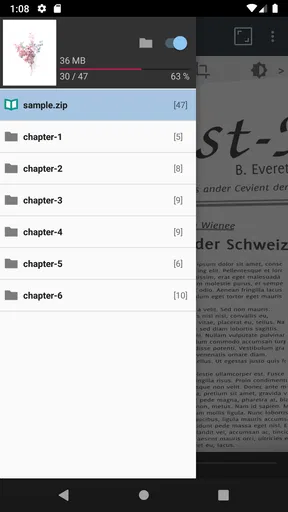
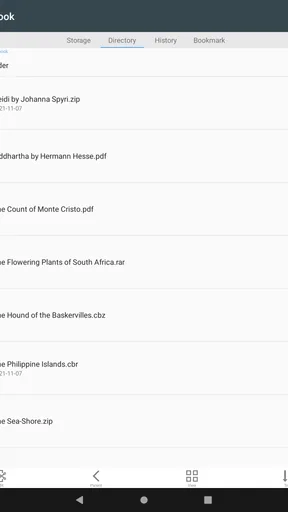
- Library Management: Organize your comics into folders and sort them by name, date, or size.
- Cloud Sync: Keep your progress synced across devices with cloud support.
- Offline Reading: Download comics for those times when you’re off the grid.
For a long-running series, I would treat bookmarks as checkpoints rather than as a replacement for keeping a consistent reading order. A bookmark is most useful when you pause in the middle of a volume or want to return to a particular page; a carefully named folder structure is still the better way to keep volumes in sequence. If you are sharing a device, separating collections into clearly named folders can also reduce the chance of opening the wrong file.
Performance and Usability
I tested ComicScreen on both my tablet and phone, and it performed exceptionally well on both. The app is lightweight and doesn’t drain your battery, which is a huge plus for extended reading sessions. I didn’t experience any crashes or bugs, which speaks volumes about the app's stability.
For someone deciding between this and a comics subscription app, the difference is the library model. A subscription service may be easier if you want to discover and read titles directly inside one catalog. ComicScreen is more appealing if you already have PDFs or comic files and want a dedicated way to view them. Compared with a general PDF reader, a comic-focused app is the more natural place to browse a comics collection, while a standard document reader may be preferable if your work involves annotations, forms, or other PDF tools rather than page-by-page comic reading.
One practical limitation of local-file reading is that file handling becomes part of the routine. You need to know where a comic is saved and how to find it again. If you prefer a library that automatically provides titles, recommendations, and a unified account-based collection, this may not be the best match. Likewise, readers who need specialized assistive controls should test the app on their own device before committing to a long series; comfort with gestures and page navigation is personal, and a description of features cannot promise that every interaction will work for every reader.
Final Thoughts
All in all, ComicScreen - PDF, ComicReader is a fantastic app for anyone who loves comics. Its seamless interface, robust feature set, and excellent reading experience make it stand out in a crowded market. Whether you're a casual reader or a hardcore comic book fan, this app has something to offer. It’s definitely worth a spot on your device.
So, if you’re on the hunt for a new comic reader app, give ComicScreen a try. You might just find it becomes your go-to app for all your comic reading needs. Happy reading!
An inclusive verdict for file-based comic reading
I would recommend it most readily to people who already keep comics as files, value being able to pick up a volume without a subscription, and are comfortable managing a personal library. It can also suit readers who switch between phone and tablet, as long as they are willing to check page scale and orientation on each screen. The central benefit is practical: your reading routine can revolve around the comics you have, rather than a catalog you must browse through.
I would steer someone elsewhere if they mainly want an in-app storefront, automatic discovery, or a hands-off system that takes care of organizing a collection. I would also advise anyone with particular visual or motor needs to try a representative file first, using the device and settings they expect to use most. That small test can answer more than a broad promise: open a page with fine lettering, rotate the screen if that is part of your routine, and see whether zooming and moving between pages feels comfortable.
For me, the best way to judge ComicScreen is as a focused reader whose usefulness depends on the quality and organization of the files you bring to it. It is not a universal solution for every comic fan, but it has a clear place for readers who want to open and read their own collection. If that describes you, start with a single volume and a short session, then decide whether its page handling and library workflow fit your everyday reading.
Privacy and Permissions
See what permissions an app requests and how it handles your data.
- Photos/Media/Files
- read the contents of your USB storage, modify or delete the contents of your USB storage
- Storage
- read the contents of your USB storage, modify or delete the contents of your USB storage
- Other
- view network connections, full network access, prevent device from sleeping, Google Play license check
Verdict
Strengths of ComicScreen - PDF, ComicReader
- Smooth and intuitive user interface.
- Supports multiple file formats.
- Fast loading and rendering speeds.
- Customizable reading settings.
- Bookmark and annotation features.
Limitations of ComicScreen - PDF, ComicReader
- Lacks cloud storage integration.
- Ads can be intrusive at times.
- Limited support for large files.
- No built-in dictionary feature.
- Some features require in-app purchases.
Similar Picks in This Category
View All
WEBTOON: Manga, Comics, Manhwa
NAVER WEBTOON4.6

MangaToon: Comic & Manga
MangaToon4.3

네이버 웹툰 - Naver Webtoon
NAVER WEBTOON4.3

Tapas – Comics and Novels
Tapas Entertainment Inc.4.2

Lezhin Comics - Daily Releases
LEZHIN ENTERTAINMENT3.3

WebComics - Webtoon & Manga
WEBCOMICS HOLDINGS HK LIMITED4.4
Frequently Asked Questions
What file formats does ComicScreen support?
ComicScreen supports a wide range of file formats, making it versatile for comic enthusiasts. It can handle popular formats such as PDF, CBR, CBZ, JPEG, PNG, and more. This ensures you can read almost any comic file you have, without needing additional converters or applications.
Is there a way to organize my comics within the app?
Yes, ComicScreen offers robust organizational tools to help manage your collection. You can sort your comics by title, date, or custom categories. The app also allows for the creation of folders and playlists, which can help you keep your reading material neatly organized and easily accessible.
Can I customize the reading experience in ComicScreen?
Absolutely, ComicScreen provides several customization options to enhance your reading experience. You can adjust the screen brightness, choose between different reading modes, and even use the zoom function to focus on specific panels. These features ensure a personalized and comfortable reading experience.
Does ComicScreen offer any cloud integration?
Yes, ComicScreen supports cloud integration, allowing you to sync your comic library across multiple devices. You can connect to popular cloud services like Google Drive and Dropbox, ensuring your comics are backed up and accessible from anywhere with an internet connection.
Is ComicScreen free to use?
ComicScreen offers a free version with essential features, but it also provides a premium version for users looking for an ad-free experience and additional functionalities. The premium version includes features like advanced customization, more robust cloud integration, and priority support.
